Look up any address, or connect your wallet. Viewing needs no signature.
Connecting lets you move your own Squares, and bid or claim in a Rust auction.
Squarefolio never asks for your seed phrase. Nothing moves until you confirm it in your wallet.
squarefolio.squareapes.com
02
The tabs
Visualizer
Your Squares, and the Cube they can go into.
Cubes
Every Cube you hold and what's inside. Put Squares in and take them out.
Portfolio
Every collection you hold, read from the chain.
Leaderboard
Cubes ranked by Rust and by weight.
Auction
The Rust auction, while one is on.
Record
Every Scrape and Rust auction, spot by spot.
03
Cubes hold Squares
Squares you put in are held by your Cube's own wallet on chain.
Only the Cube's holder can take them out. If the Cube goes to another wallet, what's inside goes with it.
A Cube can go inside another Cube.
CCFF00 Squares stay in your wallet. They add no Rust, and wallet snapshots don't see Squares inside a Cube.
It plays on its own. Tap a step to stay on it.
Your wallet 44 Squares · Cube #239
Cube #239 its own wallet
0 Squares inside
Send
Another wallet Nothing yet
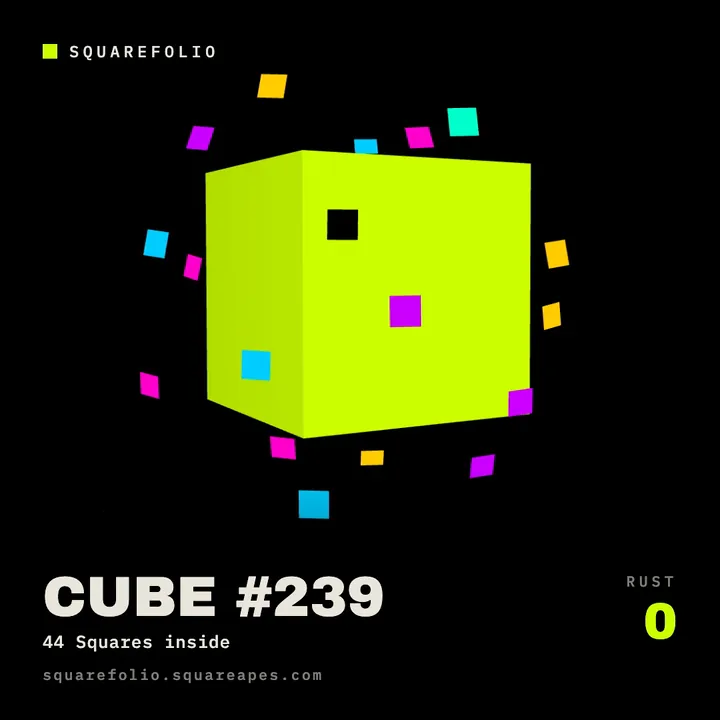
44 Squares in your wallet, and Cube #239, empty.
04
Putting Squares in
44 Squares in five confirmations, recorded on Squarefolio.
Open Cubes and pick your Cube.
Tap a color to add it, or Add every Square.
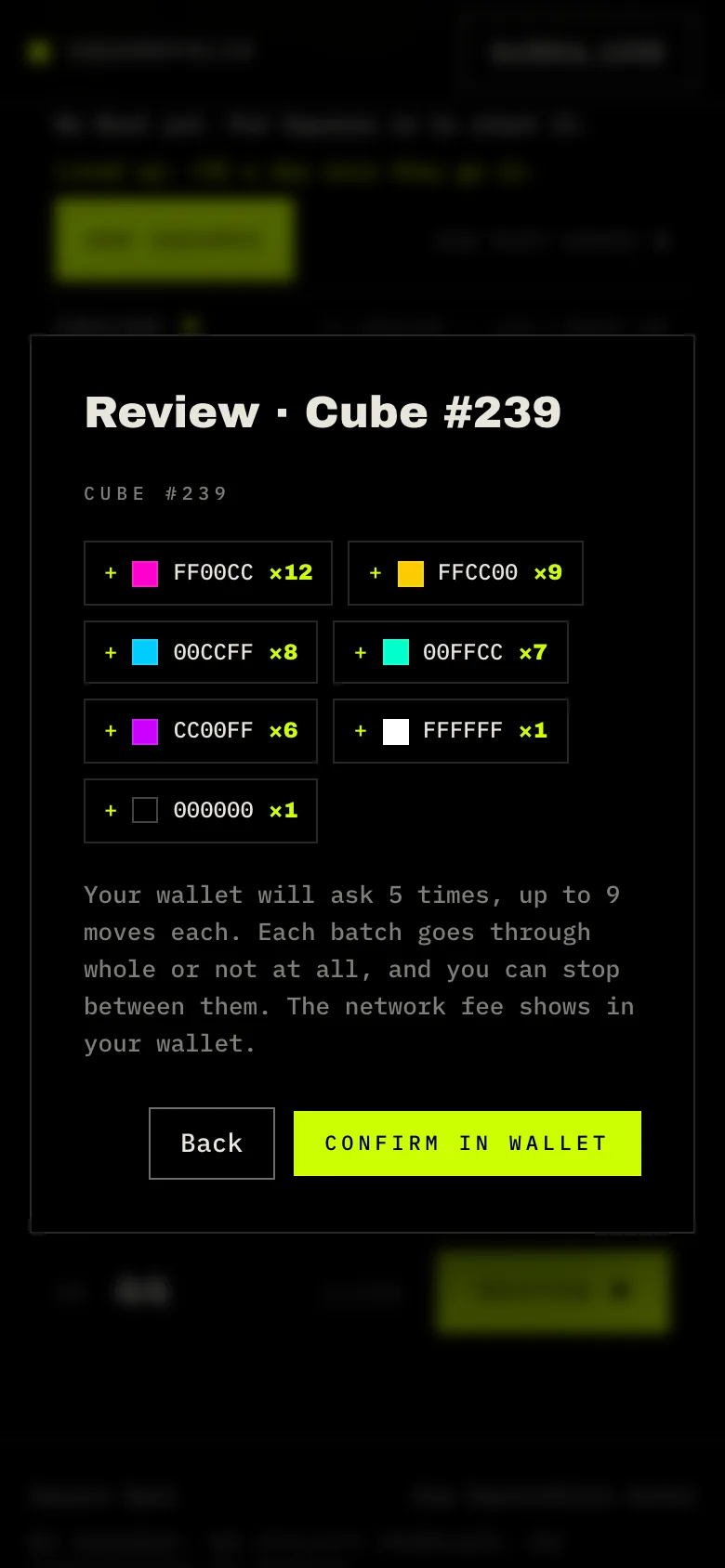
Tap Review. It says how many times your wallet will ask, before anything is sent.
Tap Confirm in wallet and confirm each ask. You can stop between them.
Smart-account wallets, MetaMask among them, take up to 9 Squares per confirmation. Each batch goes through whole or not at all.
Other wallets use the Cube Loader: one approval per color, then a whole batch on one signature. The approval stays until you revoke it in Loader access. Or skip it and go one by one.
Each move pays a small network fee in ETH on Robinhood Chain.
Use Put in on Squarefolio. A wallet's Send or OpenSea's Transfer won't put Color or Mono Squares in a Cube: the Cube refuses them.
Review tells you how many times your wallet will ask.
05
Weight and Rust
A Cube adds its weight in Rust every day.
+1each Color Square
+10each Mono Square
+5each full color set (all five)
Rust starts over if the Cube goes to another wallet. A Cube inside your own Cube keeps its Rust.
Rust is a number on the board. Nothing is promised for it.
Try a Cube
FF00CC12
FFCC009
00CCFF8
00FFCC7
CC00FF6
FFFFFF1
0000001
Weight
92
Rust a day
+92
Full sets
6
CCFF00 Squares stay out of Cubes: they add no Rust.
squarefolio.squareapes.com · Leaderboard
The Leaderboard ranks every Cube by Rust and by weight. Holders blurred here.06
Using Rust
So far, Rust has been used two ways.
Scrape
Holders used at least a minimum of Rust to take a spot on a partner's list, while spots lasted. Each Scrape sets its own spots, minimum and rules.
Rust auction
Holders bid Rust for a spot, and the top bids won. All of a wallet's Cubes count together: one bid per wallet, raised any time before the close. A bid can't be lowered or taken back.
Won a spot? Claim it.
Tap Claim your spot on the Auction tab.
Tap Post on X. The post is written for you. Post it as it is.
Paste your post's link, and pick the wallet for the list.
Tap Sign and claim. It's a free signature: nothing is sent on chain.
Rust comes off your Cubes only when you claim, exactly what you bid. Every other bid keeps its Rust. A spot not claimed in time goes to the next bid.
squarefolio.squareapes.com · Record
The Record keeps every Scrape and auction, spot by spot. It never shows wallets.07
Your wallet
Moves are transactions. Putting Squares in or taking them out is something you confirm, with a small network fee.
Bids and claims are free. You sign a message. Nothing is sent on chain.
The Cube Loader only moves your own tokens, only into a Cube you own, and only when you sign. Some wallets flag its approval as a risk; its code is public.